Notification Settings for Huawei EMUI 8.0+
If you have troubles receiving new message notifications. This guide is to help you solve the problem.
Some mobile phones running on Android will automatically close Apps that are running in the background. To prevent Notification delivery issues for Matrx. Please enable Matrx to run in the background.
Please follow the steps below to set up a quick solution.
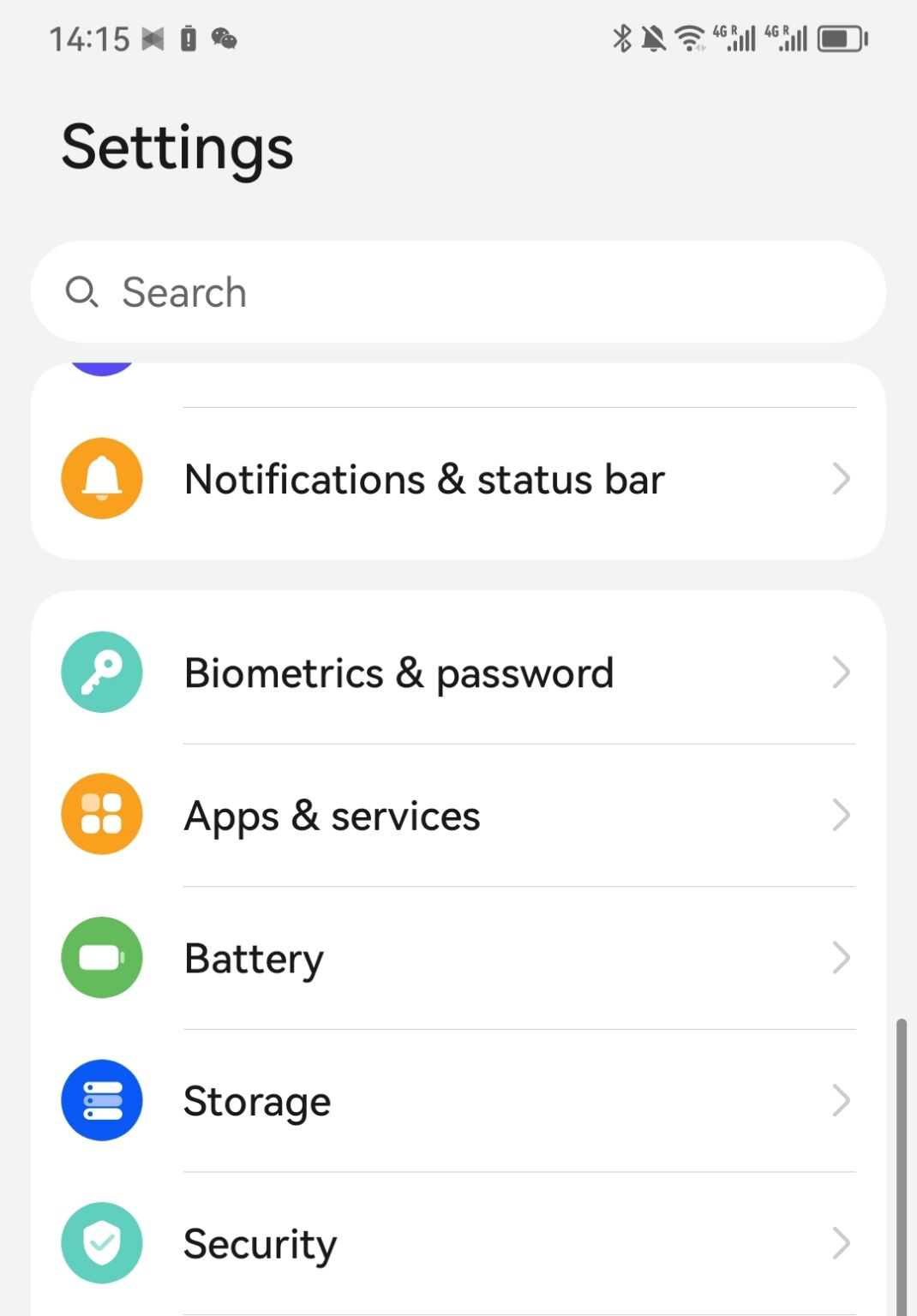
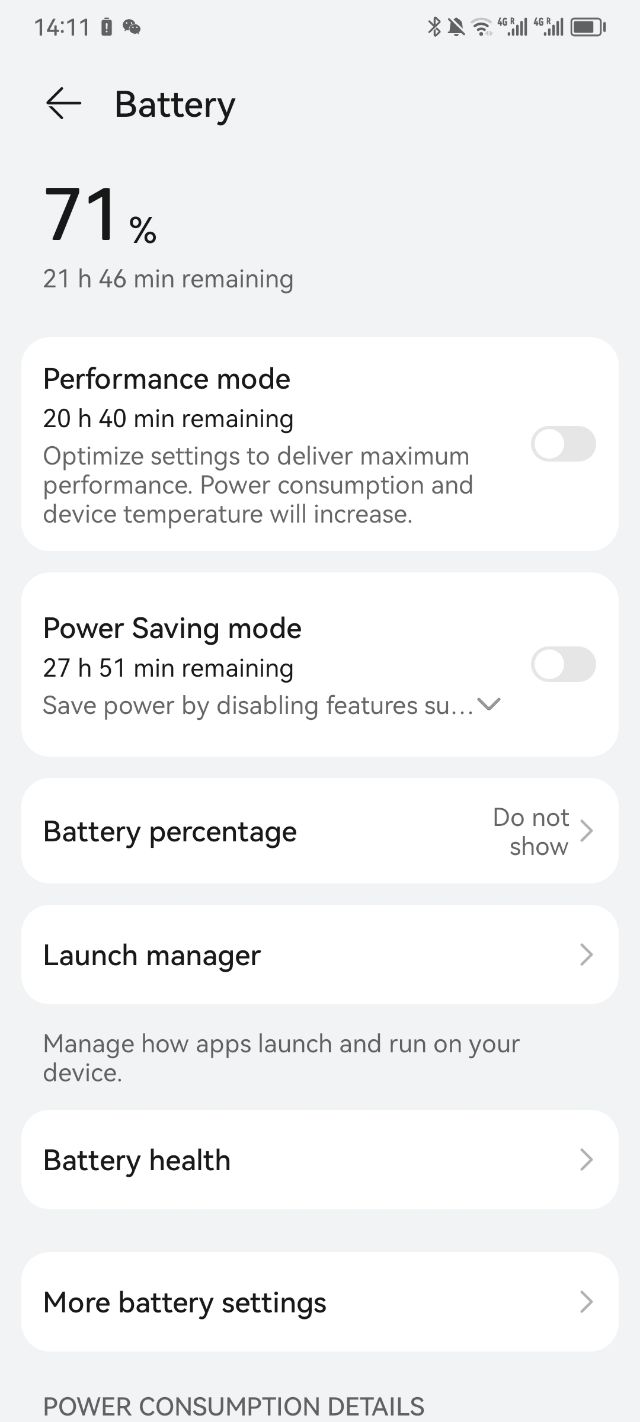
- Go to "Settings" > "Battery”
- Then tap "Launch"
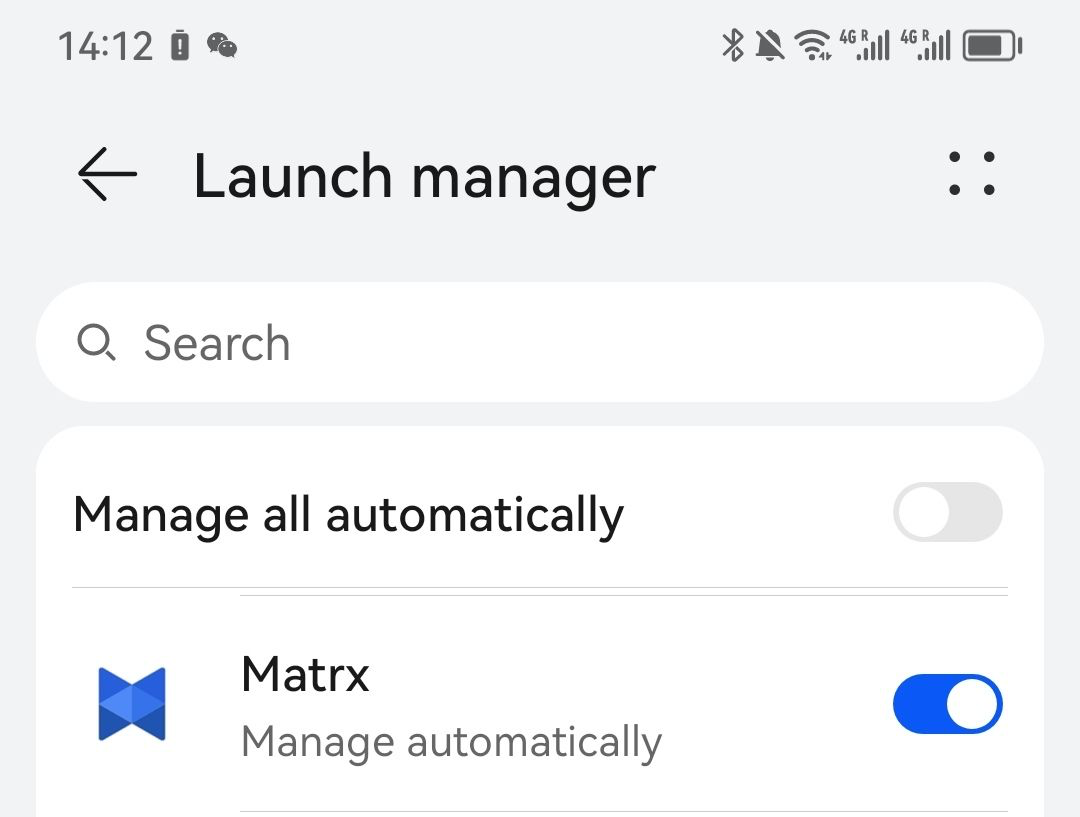
- Find “Matrx” and disable the "Manage automatically"
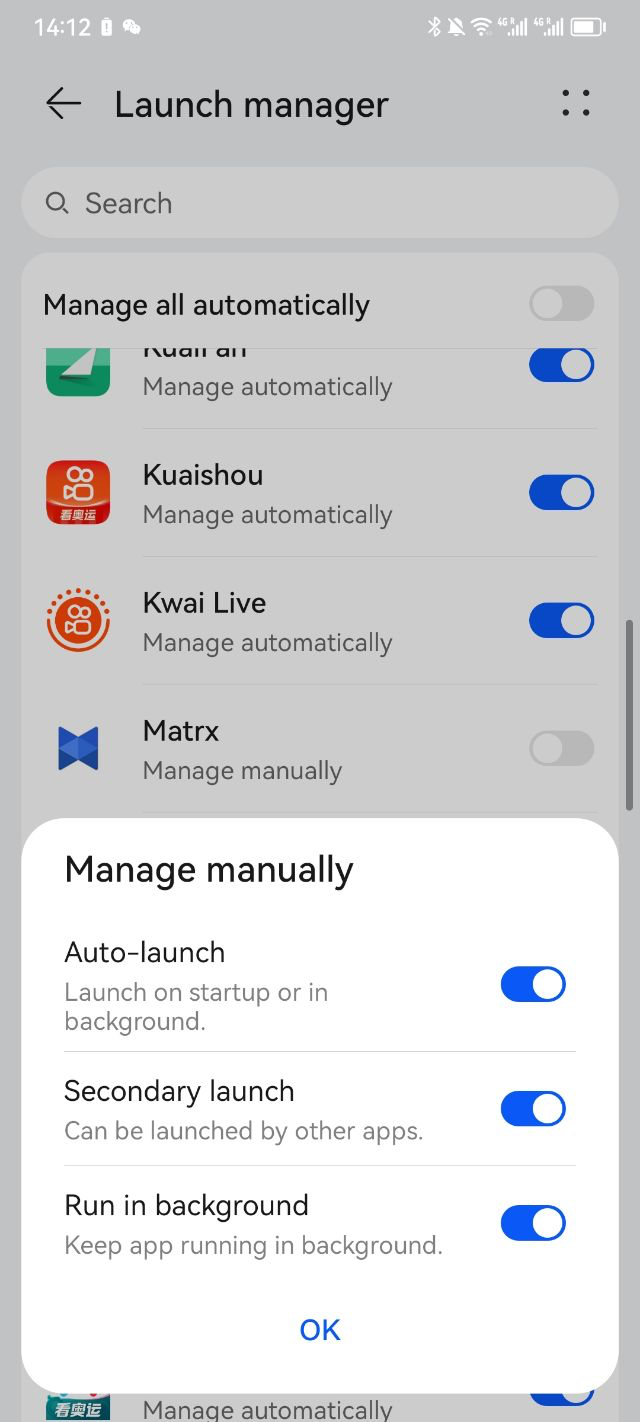
- Enable all 3 options (Auto-launch, Secondary launch, and Run in Background) and click the "OK" to save the settings.